
Monthly Archives: December 2011

2011 was a crazy year!

Now that we are finishing up the last few days of the year its time to take a few minutes and reflect on my accomplishments for the year. To be honest, looking back at the blog posts I have no idea how I completed so many mile stones.  Last year I privately established some long term goals and I knocked several items off my three year and five year plan in the first year.

Major Accomplishments in 2011

PASS Member Summit 2011 Ribbons

Vendor said, "Wow... it looks like you had a very big year. Would you like to attend our vendor party?"

My first child was born in February.  Typically having a child would slow you down but somehow I still completed several milestones. I have to give huge props to my wife for all her help and support.

This year I gave presentations at the first SQL Rally; the SQL PASS Member Summit; SQL Saturday in Houston, TX (presented multiple sessions); the Pittsburgh SQL User Group and several session at the West Virginia SQL Server User Group.

One of my good friends and I co-founded the first SQL Server User Group in West Virginia. I also helped relaunch the Pittsburgh SQL Server User Group and was truly honored to  speak at the relaunch event. I also organized the 2nd  Annual SQL Saturday in Wheeling, WV. Its was truly an honor to bring my peers and friends to my hometown for some free SQL Training (photos). Towards the end of the year I also became a PASS Regional Mentor for the Mid-Atlantic Region.

Personally, I also had the following accomplishments.  I was included in a local
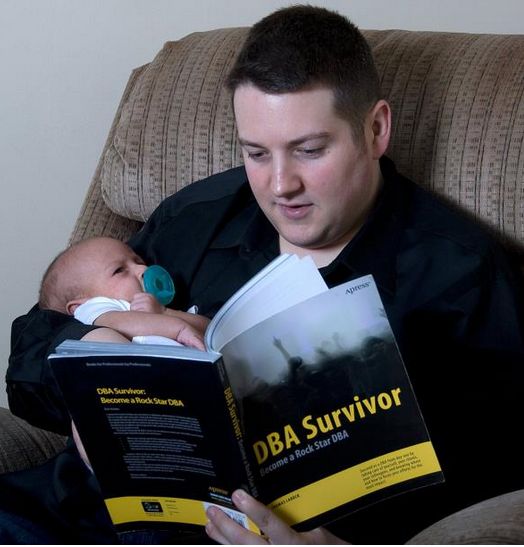
Reading with my baby

It's never to early to get started on your professional development.

magazine article on “Digital Generation.” Finally, I changed jobs and became a SQL Server Consultant.  I am truly blessed to say that many of these milestones couldn’t happen without my #sqlfamily and  my tech giants mentors .

My 11 Favorite Blog Posts in 2011

The following are my favorite blog posts and tips written by me in 2011.

I look forward to sharing some goals next week as we break in the new year!

PASS Member Summit 2011 Speaker Evaluations

Session evaluations from the 2011 PASS Summit have been officially released to speakers. I am proud to share my feedback as it gives me room for improvement. I look forward to making it back in 2012.

The evaluation format is as follows. Each question is rated on a scale of 1-5 (1 = Very Poor, 2 = Poor, 3 = Average, 4 = Good, 5 = Excellent) with room for additional comments if the attendee  felt compelled to add more information about why they gave a particular score.

Here’s how I fared:

Topic: Evaluate your Daily Checklist Against 100+ instances of SQL Server while you get a cup of coffee
Attendance: 138
Total Responses: 68
Average Rating: 4.4 out of 5.0

How would you rate the Speaker’s presentation skills? 4.19

  • very good clear speaker good pacing
  • it seemed like he did a lot of reading from the notes. he’s off to a good start though
  • alittle more zoomit. overall very good & easy to follow
  • He seemed pretty nervous, but he soldiered on.
    He also used ZOOMIT when appropriate and diligently repeated the questions for the recording.
  • good use of demos

How would you rate the Speaker’s knowledge of the subject? 4.51

  • great command of content
  • sounds like he has set PBM/CMS up a few times at least…knows the stuff
  • Another 10-15 minutes would have allowed for a little deeper explanation/understanding of the material, but it’s Friday and my brain is almost completely fried. (You have to love the honesty in this one! )

How would you rate the accuracy of the session title, description and experience level to the actual session? 4.49

  • I didn’t see any incorrect information
  • can’t wait to suss out some of the code snippets
  • demos clearly showed topic & idea

How would you rate the quality of the presentation materials? 4.35

  • demos clearly showed topic & idea
  • too simple…i would rather go over good primalry mangt. the tool i can learn myself..maybe less demo more presentation
  • wish we had more time on this subject
  • can’t wait to suss out some of the code snippets

Did you learn what you expected to learn? 4.47

  • thank you for the kick start into cms
  • i had no idea what PBM was now i know and want to apply it.
  • currently only rely on failure emails…no know of a better way
  • demos clearly showed topic & idea

What will you take away from this session?

  • Some good stuff. I’ll be beefing up my PBM when I get back.
  • Great info!!
  • I will be implementing what we learned
  • Implement PBM and CMS
  • hoping to implement some checklists on our newly built comps and streamline our “care and feeding” process
  • go back to office and try it out
  • make a list, check it, automate, central management, server
    policy based management
  • impliment idea. a way to automate checklist & protect my environment practically
  • cant wait to try!
  • how to use PBM & CMS. great session!!
  • a daily checklist can be automated and easily analyzed with a few simple tools

What would you change to improve the overall quality of this session?

  • Provide handouts
  • Presenter could have managed off topic questions from audience better.
  • speaker peppered with quite a few “in the weeds” questions, but managed them well.
  • could use alitte humor
  • change this to a 300 level based
    leave questions until end too many people aske the same questions over again, over something that was covered

Conclusion:
I think I did a good job for presenting my first full session at the PASS Member Summit.  Several people mentioned in the comments that they were going to try PBM and CMS.  This completed my mission for giving the presentation.  I also received some great feedback that I will implement to make my presentation better. I think this was a great experience for me and I look forward to doing it again next year if I get selected.

T-SQL Tuesday: What’s Currently Running?

My good friend Allen White is hosting this months installment of #TSQL2sDay so I am motivated to jump in. #TSQL2sDay is the creation of Adam Machanic. The concept is simple, about a week before the second Tuesday of the month a theme will be posted.  Any blogger that wishes to participate is invited to write a post on the chosen topic and any post that is related to both SQL Server and the theme is fair game.The challenge for this month’s T-SQL Tuesday is: What T-SQL tricks do you use today to make your job easier?

What’s Currently Running?

One of my favorite tricks is actually just a little script I have in my toolbox to find out what queries are currently running right now. In fact I have had quite a few people ask me the for this script so I am glad to share it in this blog post.  With SQL Server 2005 and above  SQL Server provides Database Management Views that give you direct access to executing requests and running process. The following query uses sys.dm_exec_request, sys.sysprocesses. We will also use cross apply to get the query text from sys.dm_exec_sql_text and the execution plan from sys.dm_exec_query_plan.

The Good Stuff…

{UPDATE: 1/1/2012 – Replaced sysprocesses with sys.dm_exec_sessions as recommended by Phil in the comments

UPDATE: 6/5/2013 – Changed CROSS APPLY’s to OUTER APPLY’s so we capture statements without execution plan or SQL Text.}

-- Do not lock anything, and do not get held up by any locks.
SET TRANSACTION ISOLATION LEVEL READ UNCOMMITTED

SELECT
[Spid] = sp.session_Id
,er.request_id
,er.command
,[Database] = DB_NAME(er.database_id)
,[User] = login_name
,er.blocking_session_id
,[Status] = er.status
,[Wait] = wait_type
,CAST('<?query --'+CHAR(13)+SUBSTRING(qt.text,
(er.statement_start_offset / 2)+1,     ((CASE er.statement_end_offset
WHEN -1 THEN DATALENGTH(qt.text)    ELSE er.statement_end_offset
END - er.statement_start_offset)/2) + 1)+CHAR(13)+'--?>' AS xml) as sql_statement
,[Parent Query] = qt.text
,p.query_plan
,er.cpu_time
, er.reads
, er.writes
, er.Logical_reads
, er.row_count
, Program = program_name
,Host_name
,start_time
FROM sys.dm_exec_requests er INNER JOIN sys.dm_exec_sessions sp ON er.session_id = sp.session_id
OUTER APPLY sys.dm_exec_sql_text(er.sql_handle)as qt
OUTER APPLY sys.dm_exec_query_plan(er.plan_handle) p
WHERE sp.is_user_process = 1
/* sp.session_Id > 50
-- Ignore system spids. -- */
AND sp.session_Id NOT IN (@@SPID)
ORDER BY 1, 2

PowerShell User Group starts in Pittsburgh!

Recently, it has come to my attention that there is a PowerShell User Group being born in Pittsburgh.  The first user group meeting is December, 13th and  Ed Wilson also known as TheScriptingGuy will be their first presenter.   There are still a few seats available. If you are interested in developing scripts to automate processes I recommend you follow this user group.

This years Christmas wish list for Microsoft

Once again its the first Monday of the month. This means its time for another #mememondy presented by Thomas LaRock . This months topic is what gift do you want Microsoft to leave for you under the tree this year? For this post I am going to list two items I would love to see in SQL Server 2012.

  1. Distributed Replay to be easy to configure, work as advertised and include the great reporting features I am used to seeing with RML Utilities.  Currently, I don’t see much for reporting with Distributed Replay in BOL.  No, need to convert SQL Traces multiple times.
  2. AlwaysOn to be included in SQL Server 2012  Standard Edition. Yes, I know this is a long shot but hey its my Christmas list 🙂