
SQL Server 2025 was released in November of 2025. The issue I’ve found is that reviews of SQL Server 2025 that showcase the business impact of the upgrade are hard to find and don’t focus solely on its technical aspects. Developers and Data Engineers are thrilled with the new features and upgrades it offers, and you can find plenty of their reviews on YouTube and in their blogs. But if you’re the owner of a company or need your CFO to approve the purchase of this upgrade, you need to know exactly what it will do for your bottom line and your customers.
As the CEO of ProcureSQL, I am responsible for ensuring our clients achieve the highest return on their SQL Server investments. Today, I’m here to speak with decision-makers who are wondering whether SQL Server 2025 is worth the financial investment.
Changes with Express, Web, Standard, and Developer Editions: That Impact Licensing Costs
Microsoft has restructured its edition model with SQL Server 2025, delivering significant improvements for organizations that do not plan to upgrade to Enterprise Edition.
SQL Server 2025 Standard Edition Changes
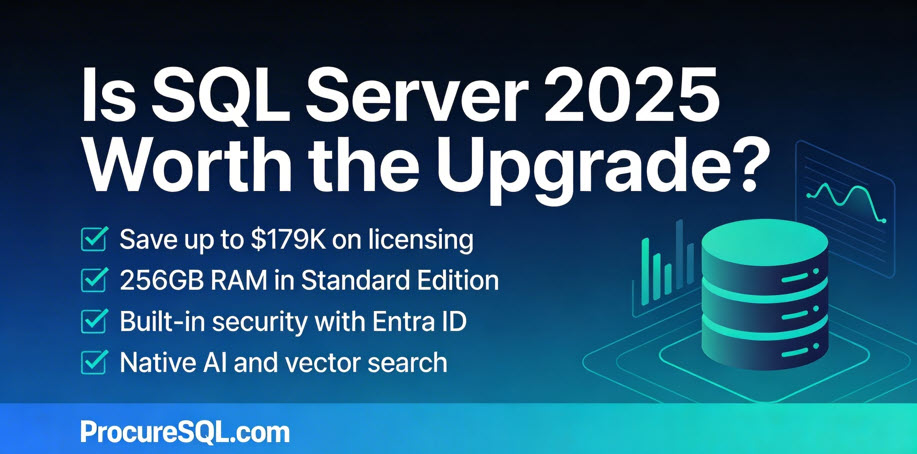
The Standard edition increased the number of CPU cores from 24 in 2022 to 32 in 2025. With SQL Server 2022, list pricing is $15,123 per 2-core pack for Enterprise Edition and $3,945 per 2-core pack for Standard Edition. With official 2025 pricing at the same rate for Standard Edition and Enterprise Edition, organizations previously forced into Enterprise Edition can potentially save up to $179,000 on a 32-core deployment.
| Edition | List price per core (USD) | Cores | Total license cost (USD) |
|---|---|---|---|
| SQL Server 2025 Enterprise | $7,562 | 32 | $241,984 |
| SQL Server 2025 Standard | $1,973 | 32 | $63,136 |
| Estimated Savings with Standard | $178,848 | ||
The memory limitation was also increased from 128GB of RAM in SQL Server 2022 to 256GB of RAM in SQL Server 2025. While there has never been a cap on database size in Standard Edition, the number of data pages that can stay in memory has doubled. The increased limitations on CPU and Memory alone should allow your team to process and analyze data faster if you are using the Standard edition of SQL Server and are upgrading to SQL Server 2025.
SQL Server 2025 Standard Edition picks up full Resource Governor support, including the new TempDB governance capabilities. You can define resource pools and workload groups to route sessions and limit or reserve CPU and Memory grants, and throttle I/O requests. Combined with the core and memory increases, Resource Governor enables workload consolidation on Standard Edition that previously required Enterprise Edition.
Starting with SQL Server 2025, Power BI Report Server is included with both Standard and Enterprise editions and no longer requires Software Assurance on those 2025 licenses. Previously, it required Enterprise core licenses with active Software Assurance. For organizations currently paying for Enterprise Edition + Software Assurance solely for using Power BI Report Server, this change can result in substantial cost savings.
SQL Server 2025 Express Edition Changes
The Express Edition of SQL Server has always been free, but the 2022 version limits users to 10 GB per database. It was good for applications with very low consumption and computing requirements. SQL Server 2025 Express Edition increases that limit fivefold, to 50 GB per database. While still limited, this is good for datasets that fit within the increased size constraint and for scenarios where a company might not want to pay for the standard version yet.
SQL Server 2025 Upgrade Roadblockers
There are two notable trade‑offs to be aware of before you look at the benefits. Web Edition is discontinued, so if you were using it, you will have to move to another edition when you upgrade. Organizations currently on Web Edition should be aware that there is no direct equivalent at the same price point. Standard Edition is substantially more expensive. In SQL Server 2025, Express Edition loses reporting rights entirely with the conversion of Reporting Services to Power BI Report Server.
An Important Edition Change in SQL Server 2025
Microsoft also implemented an important solution for companies that do not plan to upgrade from Standard Edition to Enterprise Edition. Microsoft finally opened up the Developer Edition (free for anyone who wants to use it for non-production purposes) to let you choose between both Standard and Enterprise editions. This matters to you because previously, your development team might have used the Developer Edition in non-production and then used features that only worked in the Enterprise Edition in production. This required you to either spend more money by upgrading from Standard Edition to Enterprise Edition or, worse, identify these errors and make quick, critical code changes after you deployed to production.
Now, if you are developing or testing an application, and you know the production workload will use Standard Edition, you can install Developer Standard Edition so the functionality is the same as what you would get with Standard Edition in Production. That way, you don’t have to worry about using features that either won’t work or have a different behavior than you would see from the Enterprise edition.
SQL Server 2025 Upgrade: Security Enhancements That Save You Money
Every SQL login you retire lowers your breach exposure; even a single incident can easily cost more than your entire SQL Server upgrade. Moving to Entra ID and managed identities is cheaper than the cost of a serious breach. According to IBM’s 2025 Cost of a Data Breach Report, global averages are now at 4.44 million USD per incident and over 10.22 million USD in the U.S. That’s why it’s worth spending a moment on Entra ID Managed Identities.
SQL Server 2025 introduces native support for Microsoft Entra ID Managed Identities when you connect SQL Server to Azure with Azure Arc. Managed identities are arguably the biggest security advancement for on-prem SQL Servers in years. When you connect your SQL Server 2025 instance to Azure Arc, a system-assigned managed identity is automatically created for the host machine. You then associate that identity with the SQL Server instance.
The benefit is twofold. Managed Identities greatly improve both inbound and outbound authentication. External users and applications authenticate to SQL Server via Microsoft Entra ID. This can allow you to move from SQL authentication (the worst option for inbound authentication) to Entra ID with Multi-Factor Authentication (MFA), Single Sign-On (SSO), and conditional access. For outbound authentication, SQL Server authenticates to Azure Blob Storage, Azure Key Vault, and other Azure services without storing credentials in config files or connection strings.
“For most organizations, the security and productivity gains here are measured in millions of dollars of risk avoided and months of engineering time saved over the life of the platform.” – Kon Melamud CTO
SQL Server 2025 strengthens encryption for data in transit. Microsoft has implemented the highest standards to reduce the risk of your data being compromised in-flight, using not only TDS 8 (previously available in SQL Server 2022) but also TLS 1.3. TLS 1.3 is now supported across SQL Agent, sqlcmd, bcp, replication, log shipping, availability group endpoints, and PolyBase with SQL Server 2025.
Cost Savings for User and Developer Experience
SQL Server 2025 includes Copilot integration in SQL Server Management Studio (SSMS), which has productivity implications for development teams and increases developer efficiency.
SQL Server 2025 enables semantic/AI-powered similarity search directly in the database using a new VECTOR data type and the VECTOR_DISTANCE function. Note: Advanced vector indexing (DiskANN) is currently in public preview, while exact KNN search is currently GA, so plan accordingly for large-scale production deployments.
While this in itself does not provide a no-code experience for non-technical users, it simplifies development, enabling your end users to have better search capabilities with semantic search while letting you ship smarter features without buying and running a separate vector database, keeping both CapEx and OpEx in check. This can open the door for end users to use descriptive searches with SQL Server to filter and dig into your data in ways never before possible. You can leverage native T-SQL filters and semantic search together, giving you the best of both worlds. For example, imagine the benefits to your sales team when they can use semantic search natively within your CRM. They would be more efficient, leading to more deals won, which alone could justify upgrading your entire tech stack.
Finally, on the developer end, the addition of native JSON, while seemingly small, is a big step forward. This simplifies application development and reduces development complexity. That means your application will be built faster, more efficiently, and more reliably. While XML remains fully supported, JSON has become the industry standard for modern APIs and web applications.
Data Replication is Simplified and Cost-Efficient
Fabric mirroring reduces the risk of replication errors and data pipeline inconsistencies by automating data loading, so you no longer need a custom-built solution to move your raw data from application databases to your data lake. Eliminating custom pipelines for ingesting your data can save tens of thousands of dollars annually in development and maintenance costs. Not only does this save you time and money, but did you also know that Fabric Mirroring storage is free up to a limit based on the fabric’s capacity? Also, the background Fabric Compute used to replicate your data into Fabric OneLake is free and does not consume capacity.
SQL Server 2025 includes an architectural improvement, the change feed, that simplifies your data replication. Previously, change data capture (CDC) was required, which could be a pain to troubleshoot and manage. Fabric Mirroring makes it easier to move your data from your business-critical application databases to your trusted data foundation (modern data warehouse). The first step, getting raw data reliably into your analytics layer, is where many initiatives fail because problems here snowball quickly. Getting data into a place where it can be transformed and analyzed is paramount. You need this step to be quick, reliable, and consistent with the data changes in your application, without impacting the performance of your line-of-business applications.
Currently, Azure Arc is required to set up SQL Server 2025’s change feed feature to replicate data to Fabric in near real-time. Later in this article, we will also explain why Azure Arc is worth using with your on-premises SQL Servers running SQL Server 2025.
Discontinued Features and Migration Planning
Older versions of SQL Server are approaching or have passed the end of support. SQL Server 2014 is already out of extended support (ended July 9th 2024). SQL Server 2016 support ends on July 14, 2026, which is less than six months away. If you’re still running SQL Server 2016 in production, this should be one of your most urgent planning items. If you need help with your SQL Server 2025 upgrade, reach out. We can help! SQL Server 2017’s extended support ends on October 12, 2027.
I would hate to find out you had a data breach because an exploit was found in an old, unsupported version of SQL Server you were using in production.
As with every major release of SQL Server, some features are discontinued. Each one involves financial considerations that could affect your decision to use SQL Server 2025. Data Quality Services (DQS), Master Data Services (MDS), Synapse Link, Machine Learning Services, and SSRS (replaced by Power BI Report Server).
Here I want to share some of my personal thoughts and experiences with using these discontinued features.
SQL Server Reporting Services (SSRS) is being replaced by Power BI Report Server (PBIRS)
Simply put: Power BI Report Server is basically “SSRS plus Power BI,” with a more modern portal that lets you run both paginated RDL reports and on-prem Power BI (.pbix) reports. Power BI Report Server still is an on-prem report server that uses the SSRS engine under the covers.
Synapse Link is replaced by Fabric Mirroring.
No need for Synapse Link when we can utilize the newly added change feed to replicate your application data to Fabric.
Machine Learning Services (Python and R) packages are being removed from SQL Server 2025
From a financial perspective, Machine Learning Services (Python and R) never made much sense to me, so I am not surprised it is being discontinued. I don’t think it ever made financial sense to use your expensive SQL Server cores for running Python or R when you could have done so on a separate server.
Data Quality Services (DQS) and Master Data Services (MDS) are being removed
Microsoft is clearly shifting away from in-box, server-bound data quality/master data tooling towards cloud-first governance and MDM patterns. Both products were stagnant and niche in adoption. MDS has not seen meaningful feature investment in years, and it is no longer viable in the modern cloud stack. Microsoft’s strategic direction for data governance, catalog, and master data management is now centered on Azure Purview/Microsoft Purview, Microsoft Fabric, and partner MDM solutions rather than SQL Server-hosted services.
The Verdict
The financial case for upgrading to SQL Server 2025 is strong.
SQL Server 2025 is a major step forward in many ways. It’s more secure and reliable, and offers companies much greater flexibility through changes to the Express, Standard, and Developer editions.
Whether you are new to SQL Server or want to upgrade your on-prem, hybrid, or cloud SQL Server databases, ProcureSQL can help. Schedule a free assessment to ensure you’re getting the most return on your investment in using SQL Server or Azure SQL Databases.