Recap: Mid-Atlantic Community Leadership Summit

Last weekend I attended the first annual Mid-Atlantic Community Leadership Summit (#MACLS) held for user group leaders. I would like to thank Andrew Duthie (Blog | @DevHammer)  for inviting me.  He did a great job putting the event together at the Microsoft Offices in Reston, VA. 

The following are some notes for everyone that didn’t get a chance to make it out. In general the purpose for the event was to get user group leaders together to share what’s works and what doesn’t work.  There is no order to the post just some notes with some random comments from my experience running the Greater Wheeling Chapter of AITP and hosting SQL Saturday #36.

How do you measure your user Group?

Your user group doesn’t have to be huge to be successful. I learned first hand that 20 attendees is not considered a small group from the consensus of user group leaders.  Sometimes leaders get lost in user group stats. Stats being the number of new members or attendance per meeting.  I will admit that I have been guilty. These stats really don’t hold water towards determining if a user group meeting is successful.  If you have a lot of people attend but no value provided to the attendees the meeting is not successful.

How does the user group get better?  You have to ask the members.  Its hard to meet the attendees expectations if you don’t know what they are expecting. Doing so could be a rewarding exercise for the leaders of the group and the attendees.  It helps the attendees feel like they are part of the group and it helps the leaders provide value by implementing the missing pieces. 

When should I hold that event?

BatmanWhen should I hold that event? This is a question that is asked by many user group leaders during the planning phase of an event or startup phase of a new group. Andrew Duthie created a website known as Community Megaphone to help solve this problem.  There are several user groups which means you might be competing for speakers and attendees. The Community Megaphone cannot predict when another group is going to have an event but if everyone adds their events it is a great system to see if anything else is planned.

Just like the Batman cartoon try to have your events on the same bat day, same bat time, same bat channel.  From my experience I think this works well for user groups.  Its easier for members to attend if you hold the meetings monthly on the same day (number of month or day of a week), same time and same location.

Speakers and Topics

User groups need to communicate with their members and make sure the topics are covering what the needs of the user group.

When you decide to bring a speaker in to talk have them submit multiple topics.  This allows the user group leader to follow-up with its members to decide which presentation will be a better fit for the members.  This benefits both the group and the speaker.

Instead of always having one speaker talk during the meeting or a time slot consider having several speakers talk for a short period of time.  This will light a fire and motivate some new speakers to step forward and give their first presentation because they only need to present one small topic.  The PGH.NET User Group does a good job of doing this a couple times a year.  I really enjoy them check out my thoughts on the five guys with code meeting.  The SQL Server community is also doing this at the 2010 PASS Member Summit with their lightning talks series.

The general consensus of the group is that user groups need more real-world examples during presentations and more beginner (101) sessions.  More lights go off in attendees heads when they see something they can or should implement when they go back to the office.

Liability and Coverage

First of all I am not an attorney so everything covered in here is just notes from the meeting not my opinion.    If you are in a metro area you might want to combine user groups into one non-profit organization.  I learned that the DC area is currently doing this and it seams to be working out for them.  I also believe that the Pittsburgh area does the same leveraging the Pittsburgh Technology Council (This is not verified so don’t quote me on this).  If you are in a rural area then you can look at legalzoom or try to find an attorney who might be interested in doing a little pro-bono work.

It seams like a lot of small user group start off without incorporating.

If you are a lawyer or are friends of a lawyer ask them to do a white paper on the legal side of starting a user group.  It seams like there isn’t a lot of information out there on this.

Vendors (Sponsors)

One of the most surprising things I learned this weekend is that vendors want relationships not just sales.  Okay I you caught me, I knew this but sometimes its great to be reminded because it can be easy to forget.  Anyways, ComponentOne and Infragistics had evangelists at the meeting.  They both wanted all the user group leaders to know they are willing to help they just need to know what you need.

Vendors can also do more than provide swag, pizza and money.  A real world example is SQL Saturday #36.  I had no idea where I should put the sponsors.  I called Andy Warren (blog | twitter) my mentor for the event and he reassured me that this was a common problem.  His advice was very helpful.  Andy said, “Ask your platinum sponsor Confio they have sponsored SQL Saturday’s in the past they will know the best spot for the sponsors.” I followed Confio’s advice and the rest was history. The moral of the story is that vendors are not evil they can be helpful if you choose to ask them for help.

Hosting an All Day Event (SQL Saturday, Code Camp, SharePoint Saturday etc..)

The following advice was given about hosting a big event like Code Camp, SQL Saturday, SQL Saturday (or any other all day multi-track event) but I believe it also is good advice for running a user group.  You need to treat the event like a business and get a core team together to make it happen. A core team doesn’t have to be a huge team but it has to be more than one individual.  Treat the event like a business means assign action items and have people be responsible for the detailed action items and assign due dates. The group needs to have a task manager who can get things running and make sure everyone is meeting deadlines.

Always put your attendees in charge of giving away their information. Allow sponsors to have raffles where they can collect business cards or information.  At SQL Saturday #36 we printed out cards with everyone’s contact information and gave them to the attendees in their welcome kit.  This sponsors could get contact information from attendees who don’t have or forgot their business cards.

Don’t do individual sponsorship as it can be too complicated. For example, you might think to have a lunch sponsor, snack sponsor, after-party sponsor and so on. This can be complicated because one group had an after-party sponsor but found out after the fact that the sponsor would only cover non-alcoholic drinks.  The group had to pay out of pocket for half of the dinner bill. So what’s an easier way to handle sponsorship?  Divide up sponsorship by using levels.  Break sponsorship levels out into Platinum, Gold, Silver and Bronze and then assign values and benefits to them so that the sponsorship will cover your total budget and still get value out of their money.  Remember that you should build your sponsorship plan like a pyramid and have only a few Platinum level sponsors.

This covers everything I have in my notes.  If you attended and I left anything out feel free to add it in the comments section.
Recap: #24hop (24hrs of PASS) – Day One

I am very happy that the committee behind #24HOP made two decisions.  One they decided to split the 24 hours into two days.  This is huge for people in the USA as we don’t have to pull all nighters.  Second, I am very glad day one fell on a Wednesday.  Why would I be exited it falls on a Wednesday?  I am excited because it is no pants Wednesday.  No pants Wednesday  means I don’t work on Wednesday’s so its very easy to attend sessions.

Day Two

If you didn’t catch it in the first paragraph there is a day two.  That’s right peeps you can still signup and attend some great sessions.  If you need some help picking a session or two I wish I could attend the ones listed below.

The following is a short review of the sessions I attended on September 15th 2010.

Gather SQL Server Performance Data with PowerShell

Allen White (Blog | @SQLRunr) showed a very slick way to automate the process of collecting WMI counters and save them in a database.  This alone was very slick but to add the icing on the cake he also showed the crowd how to build reports that work inside of SSMS.

My eyes were opened up wide when I saw how easy it was to do WMI and SQL calls with PowerShell.  I will defiantly check out http://powershell.com in the near future to get my learn on.

It looks like Allen has a great PreCon session for the SQL PASS Member Summit 2010 lined up that will get you well on your way with automating your DBA tasks.

Hardware 201: Selecting and Sizing Database Hardware for OLTP Performance

Glen Berry (Blog | @GlenAllenBerry) ran through tons of statistics behind selecting CPU’s, Memory and Disk’s for your new database servers.  I have to be honest quite a bit of this was over my head but below are a few items that stuck.

  • Optimize your hardware purchases to take advantage of your SQL and Windows Server editions
  • Don’t go cheap on CPU’s. You rarely upgrade the CPU unlike RAM or disks.
  • Xeon X5680 and Xeon X7560 were recommended CPU’s
  • SSD (solid state drives) are good for random writes (user data files) not sequential writes (log files)
  • 10K drives = 100 IOPS
  • 15K drives = 150 IOPS
  • Make sure High Performance is enable in power settings on your servers

Identifying Costly Queries

Grant Fritchey (Blog | @GFritchey) showed us several different tools you can leverage to identify costly queries.  He showed us how to setup SQL Profiler using stored procedures to lessen the load on your production boxes.  Grant also showed me a new tool I haven’t used before. This was the SQL RML Utility tool that can be helpful show how long a query really took.  Grant also showed us server DMV’s that can be used to get real-time understanding costly queries.

For some samples and resources used in the demo check out his resources blog page.

How to Rock Your Presentations

Douglas McDowell (Web | @douglasmcdowell) delivered the most important session for me.  This year I started to focus more on giving back to the community through technical presentations.  I am always looking for some tips that will improve my presentations.  The following were a few tips I plan to implement on my current presentation schedule.

  • Treat presentations like a development project
  • Storyboard each topic
  • Build an outline
  • Make sure to add RM, WIIFM and KWUC to all presentations.

You can find more in his PowerPoint presentation at http://downloads.solidq.com/DMcDowell/RockPASS_DMcDowell.zip

Conclusion

This was another great day of #24HOP.  The best part is it continues today.  The sad part is I will miss out on the sessions.  If you catch them and have good notes.  Please add them as a comment or blog them so the unlucky ones can check out the info.

Upcoming Speaking Engagements

With football season starting I thought I would share some travel dates.  If you are at any of the following events please don’t be shy and say hi.  I look forward to hitting the road and making some new friends as I continue to connect, share and learn.

Sept 18th : Reston, VA
Microsoft Regional Leadership Summit (Non speaking)

Oct 16th : Pittsburgh, PA
Pgh.NET Code Camp 2010.2 (SQL Server 2008 for Developers)

Oct 23rd : Dallas, TX
SQL Saturday #56 BI Edition (Submitted: SQL Server 2008 for Developers)

Nov 8th – 12th : Seattle, WA
SQL Server PASS Member Summit (Submitted Chalk Talk – SQL Server 2008 for Developers)

Nov 19th : Pipestown, WV
AITP Region 18 Fall Conference

Jan 29th : Houston, TX
SQL Saturday #57  (Submitted  SQL Server 2008 for Developers)

SQL PASS Summit 2010 on a Budget

The following is some information I would like to share with the community about how I plan to travel to Seattle for the SQL Server Pass Summit.  Please take my information with a grain of salt because this is the first time I am attending.  Everything below comes from research and tweets. If you are a regular please leave comments so others can see your travel tips.

Summit 2010

PASS%20Summit%20Banner%20300x300
Can we fast forward to November?

The SQL PASS Summit 2010 is the best opportunity for SQL Server DBA’s to connect, share and learn. Your first obstacle towards getting into the Summit is to well pay for general admission to the summit. You basically have two options here, either you pay the general admission fee (this is what I am doing this year) or you can get someone to sponsor you. A great option here would be your employer. Your employer also isn’t your only option for sponsorship. Speaking of getting someone else to sponsor you MSSQLTIPS and Idera is currently looking to send someone to PASS.  Give it a shot it could be you!

If you are paying for yourself you will want to pay ASAP because PASS has a sliding scale.  Just like many other conferences there is a price before sessions are announced and different prices as you get closer to the event.  You want to avoid paying at the door because the price is usually a lot more.

The following are some links that will help you save some money on attending the 2010 Summit.

How do I get there?

How you get to the PASS Summit will depend on your location and its distance to Seattle.  I  live in Wheeling, WV which is an easy hour drive to Pittsburgh so I will be flying.  If you are also flying you might want to checkout bing.com and setup email alerts to track the change in flight prices.  At this time I see that there are round-trip flights under $300 from Pittsburgh.

In order to travel through the Seattle Metro area check out the public transportation system.  It looks like they have bus, and a monorail.  The Seattle Center Monorail can take you from the airport to downtown for $5.00 round-trip.

Where Should I stay?

The PASS website recommends the following two hotels.

Looking at bing.com and  traveladvisor.com I found a few hotels within a miles of the convention center under $100 per night.  If you are trying to stretch your money I would recommend checking them out.

Do you have any friends that are attending PASS? If so, you might want to recommend sharing a room. This is a great way for you to split the costs of a hotel room.

Where should I eat?

If you are attending the Summit there is good news. Breakfast and Lunch is included daily. This means you will only have to worry about dinner.   There will also be some evening events where you might be able to snag a bite to eat.  On Monday night you can attend the PASS Summit 2010 Welcome Reception.  On Tuesday night you can also attend the Exhibitor Reception.

Another thought towards saving some $$ on dinner is to talk it up with the vendors.  They are there to get to know you and see if their products can solve your problems.  If your team has a budget for SQL tools (I really hope your team does) I bet you could convince a vendor to take you out to dinner.  Even if you don’t have a budget for SQL Tools I bet you could convince some vendors to take you out to dinner.  Remember most people in sales try to build relationships before they sell you on a product or idea.

Can you buy me a drink?

I never really was a big fan of beer and alcohol until I started my career in Information Technology (we will leave the company name out of this story). There were several internal functions to attend for networking and they all had beer.  I quickly noticed that all the bigwigs always had a beer in their hands. Being fresh out of college I followed suite and soon fell in love with beer (a trip with the wife to tour Samuel Adams in Boston also helped).

Anyways back to saving money. If you like to grab a drink (I defiantly fall into this category) it looks like its cheaper to go away from the convention center.

According to @SQLDBA its cheaper to go to the Tap House across the street from the convention center. If you also like to sample local beer the Rock Bottom Brewery is another  recommended place within walking distance from downtown.

What are your travel plans?

PASS Summit vets what am I missing? How else can people save some $$ on their quest to their first Summit conference? Let us know we are all looking forward to your recommendations.

Recap: PGH.NET August 2010 Meeting

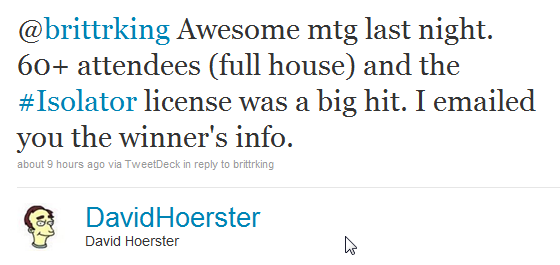
On August 10th 2010 I attended and presented at the PGH.NET User Group meeting named “5 Guys with Code.”  According to one of the PGH.NET leaders tweet it looks like the headcount was 60+

Twitter  David Hoerster @brittrking Awesome mtg la ..

The following are some thoughts and highlights from the presentations.

Presentations

  •  
    • John Sterrett (Blog | Twitter) – Table Value Parameters with SQL Server 2008 and Microsoft .NET  
  • I presented a feature that is included in SQL Server 2008 and underused by many developers.  This presentation shows developers how to pass a  DataTable, DataReaders and Lists to SQL Server database objects with only two extra lines of C# or VB.NET code. 

    As promised below are some reference links

  • David Hoerster (Blog | Twitter) – jQuery Code Snippets in Visual Studio 2010

Time is money and David’s fifteen minute tip might just save you a lot of time and money.    He covered several tools that will help you generate some awesome JavaScript. 

I  really liked the jsFiddle.NET tool.  It looks like a great tool to mockup some a user interface (more on user interfaces later).

  • Rich Dudley (Blog  | Twitter ) – A Quick Look at the New SQL CE Engine

Being addicted to databases I very happy to see that I wasn’t the only one presenting a topic based on databases.  Rich did a great job explaining what SQL CE can do and what it cannot do. 

Rich blogged about his experience (post includes photos, slides and more)

  • John Hidey (Blog | Twitter) – Layout Controls for XAML

I have to admit that XAML and I don’t get along well.  We had a fling a few years ago.  XAML cheated on me and I haven’t been the same since.

Ok seriously, I tried XAML a few times and found it very hard to understand.  John did a great job going over the common things that are hard to understand when you get started with XAML.   John started with some very basic controls and then built a final example that included all the basic controls.

At this summers PGH.NET Code Camp we had a speakers session where one of the presenters said, “Code is considered legacy code when TDD is not applied.”  Eric bowling for TDD example showed how anyone can start developing TDD.

Moving SharePoint to the data center

I cannot speak for the whole legal industry but where I work a lot of people love some SharePoint.  It’s like 50 Cent says, “We love SharePoint like a fat kid loves cake.”  And trust me we love some cake.  With this mad love of SharePoint comes great collaboration and with this great collaboration comes tons of binary files stored in a database.  What does this mean to the DBA? SharePoint now consists of VLDB’s. 

Hmm… How do we move the VLDB’s across the USA and keep them in sync?

With the built in features of Log Shipping, database Mirroring, Transactional Replication with SQL Server I knew it was possible to migrate the databases and keep them in-sync.   At the time I wasn’t exactly sure of the best way to do this so I used the bat phone.

While some people love SharePoint I love Twitter. Twitter allows me to communicate with several great DBA’s.  For example, I used #sqlhelp which is the equivalent of getting Batman on the bat phone.  This time it was Brent Ozar ( Twitter | Blog) who confirmed my gut feeling that Log Shipping was the way to go.

So…. How do you do it?

The complete process I used is documented at mssqltips #2073.  This tip walks you though the process of 22 steps to get the job done.  I hope this tip helps out other DBA’s that need to migrate VLDB’s from one location to another location without using third party tools.

If you have any comments or suggestions please forward them along.

Resolving Very Large MSDB

The following is the a walk-through guide towards how I resolved a problem with a MSDB that went wild.  I strongly recommend never shrinking database files.  I am not alone on this.  If you need more reasons check here (If you don’t like that example see the ones used in that post).

Unfortunately I am in a situation where I didn’t have another option.  We didn’t have a process on a server to delete records from the tables used to log SQL Server Agent job information. This database server in particular has over 400 databases and hourly transactional logs and a full backup.  This alone will create 10,000 rows daily when logging the results.  We actually reached the point where the data drive free space was consumed.

Backup MSDB

First, step is to do a full backup of MSDB.  You should always make a backup before you plan on doing any changes with a system database.  You should also have a plan to restore the system database just in case you have to implement it.

So Where’s the Beef?

Next, I needed to know why this database was so huge.  I ran the following query to see the file size of all database objects within the MSDB database. You can find this query written by Jeremy Kadlec in MSSQLTIP #1461 I also highly recommend reading that tip as it will provide some more helpful information to troubleshoot a large MSDB.

SELECT object_name(i.object_id) as objectName,

i.[name] as indexName,
Sum(a.total_pages) as totalPages,

sum(a.used_pages) as usedPages,

sum(a.data_pages) as dataPages,

(sum(a.total_pages) * 8 ) / 1024 as totalSpaceMB,

(sum ( a.used_pages) * 8 ) / 1024 as usedSpaceMB,

(sum(a.data_pages) * 8 ) / 1024 as dataSpaceMB

FROM sys.indexes i

INNER JOIN sys.partitions p

ON i.object_id = p.object_id

AND i.index_id = p.index_id

INNER JOIN sys.allocation_units a

ON p.partition_id = a.container_id

GROUP BY i.object_id, i.index_id, i.[name]

ORDER BY sum(a.total_pages) DESC, object_name(i.object_id)

GO

Dam you sysmaintplan_logdetail

Okay, we tried to using sp_maintplan_delete_log and it failed because the transaction log grew and consumed all the space on the drive for transactional log files.  We are not allowed to take the SQL Server database engine offline so we go with the next best option truncate the tables in question and shrink the database.

Yes I know……  I said shrink the database.  I actually had to slap myself  after typing this.

I found this great post on msdn that walks you through the script to truncate the sysmaintplan_logdetail table.


ALTER TABLE [dbo].[sysmaintplan_log] DROP CONSTRAINT [FK_sysmaintplan_log_subplan_id];

ALTER TABLE [dbo].[sysmaintplan_logdetail] DROP CONSTRAINT [FK_sysmaintplan_log_detail_task_id];

truncate table msdb.dbo.sysmaintplan_logdetail;

truncate table msdb.dbo.sysmaintplan_log;

ALTER TABLE [dbo].[sysmaintplan_log] WITH CHECK ADD CONSTRAINT [FK_sysmaintplan_log_subplan_id] FOREIGN KEY([subplan_id])

REFERENCES [dbo].[sysmaintplan_subplans] ([subplan_id]);

ALTER TABLE [dbo].[sysmaintplan_logdetail] WITH CHECK ADD CONSTRAINT [FK_sysmaintplan_log_detail_task_id] FOREIGN KEY([task_detail_id])

REFERENCES [dbo].[sysmaintplan_log] ([task_detail_id]) ON DELETE CASCADE;

Shrink MSDB

Now I know you followed the first step and backed up your MSDB.  Once again you should never consider truncating or shrinking data if you don’t have a working backup that can be restored.

Okay now that we are done with the disclaimer I created the following script to truncate the log and data files.


--- SHRINK THE MSDB LOG FILE

USE MSDB

GO

DBCC SHRINKFILE(MSDBLog, 512)

GO


-- SHRINK THE MSDB Data File

USE MSDB

GO

DBCC SHRINKFILE(MSDBData, 1024)

GO


Rebuild Indexes

Now that you did the nasty and shrinked the database data file you need to rebuild your indexes and update your statistics.   You can find the scripts to do this below.


-- REBUILD ALL INDEXES

USE MSDB

GO

EXEC sp_MSforeachtable @command1="print '?' DBCC DBREINDEX ('?', ' ', 80)"

GO

-- UPDATE STATISTICS

EXEC sp_updatestats

EXEC sp_helpdb @dbname= 'MSDB'

How do we prevent this from reoccurring?

Well actually there are quite a few things that could have and should have been done.  We could create a maintenance plan to clean up the SQL Agent history, we can also specify in the agent’s properties to also clean up history.  I will show you how to do both below.

The following is the maintenance task that will help cleanup the agent history tables.

Cleanup History

You can also right click on the SQL Server Agent in SSMS and select properties.  Once the properties window comes up select History on the list on the left.  You will then be able to remove data by record size or date.

AgentCleanHistory

Compare your websites traffic against your competitors

Once upon a time I did software development for a dot.com start-up that did very well.  Highschoolsports.com  is a huge success and eventually got bought by Gannett.  When I worked there we were constantly tracking unique hits.  In the back of my mind I always wondered how we did against other companies.

Today I caught up with a good friend of mine Adolph Santorine (old owner of highschoolsports.com) at tonights Greater Wheeling Chapter of AITP meeting and he showed me a tool I had to throw on here.  Its a web app that allows you to compare your competitors unique hits against yours. 

Give www.compete.com  a try.  It’s a nice tool that just might give you what you need.

Using Profiler to trace database calls from third-party applications

Today using profiler to trace database calls from third-party applications was published on www.mssqltips.com.  Hopefully, this tip will help some people understand why profiler is bacon.  In this example I trace two queries with Management Studio.  Speaking of Management Studio, have you ever wondered what queries are executed by your favorite features of Management Studio?  You can follow the steps in this tip to do that too.

This is my fist tip published at www.mssqltips.com.  I look forward to publishing tips on a monthly basis.

Wheeling, WV and Pittsburgh Joint AITP Meeting

Every year the Pittsburgh, PA and Wheeling, WV chapters of AITP have a joint meeting in Washington, PA.  It is usually is the most attended meeting for both chapters.   Currently at this point in time 40 people are signed up to attend. 

The meeting is scheduled for Tomorrow June 9th 2010 and it will be held Holiday Inn – Meadowlands at 340 Racetrack Rd, Washington, PA 15301.  You can register online and pay at the door. The cost is $29.  The meeting starts at 6:30pm

The topic for this joint meeting is Cyber-crime, investigations and digital forensics it will be presented by the Members of the FBI Pittsburgh Division Cyber Squad.  Members of the FBI Pittsburgh Division Cyber Squad will discuss current trends in cyber-crime, investigations and digital forensics.